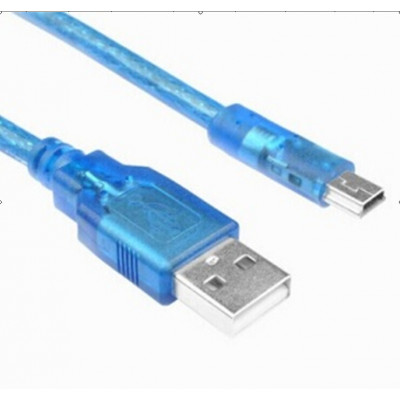
USB A Male to mini B Cable – Cable for Arduino Nano
USB A Male to mini B Cable – Cable for Arduino Nano
Related products
-
Arduino, Arduino Shield's
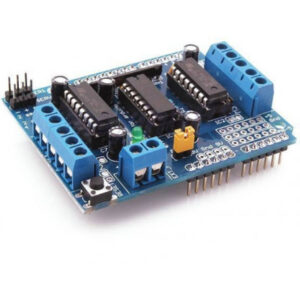
L293D Motor Driver Shield for Arduino
Features of L293D Motor Driver Shield for Arduino:-
- 2 connections for 5V ‘hobby’ servos connected to the Arduino’s high-resolution dedicated timer
- 4 H-Bridges: L293D chipset provides 0.6A per bridge (1.2A peak) with thermal shutdown protection, internal kickback protection diodes. Can run motors on 4.5VDC to 25VDC.
- Up to 4 bi-directional DC motors with individual 8-bit speed selection (so, about 0.5% resolution)
- Up to 2 stepper motors (unipolar or bipolar) with single coil, double coil or interleaved stepping.
- Pull down resistors keep motors disabled during power-up
- Big terminal block connectors to easily hook up wires (18-26AWG) and power
- Arduino reset button brought up top
- 2-pin terminal block and jumper to connect external power, for separate logic/motor supplies
- Tested compatible with Arduino Mega 1280 & 2560, Diecimila, Duemilanove, and UNO
SKU: n/a -
Arduino, Arduino Development Board's
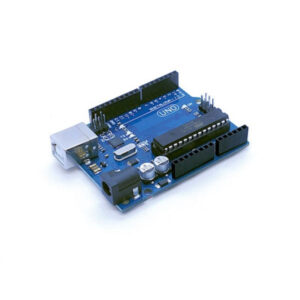
UNO R3 Development Board – Compatible Model High Quality
The Uno R3 is a open source microcontroller board based on the ATmega328 chip. This Board has 14 digital input/output pins, 6 analog input pins, Onboard 16 MHz ceramic resonator, Port for USB connection, Onboard DC power jack, An ICSP header and a microcontroller reset button. It contains everything needed to support the microcontroller. Using the board is also very easy, simply connect it to a computer with a USB cable or power it with DC adapter or battery to get started.
The Uno differs from all preceding boards in that it does not use the FTDI USB-to-serial driver chip. Instead, it features the Atmega16U2Atmega8U2 up to version R2) programmed as a USB-to-serial converter. While the UNO can be powered via the USB connection or with an external power supply, the power source is selected automatically.
External (non-USB) power can come either from an AC-to-DC adapter (wall-wart) or battery. The adapter can be connected by plugging a 2.1mm center-positive plug into the board’s power jack. Also leads from a battery can be inserted in the Gnd and Vin pin headers of the Power connector. The board can operate on an external supply of 6 to 20 volts. If supplied with less than 7V, however, the 5V pin may supply less than five volts and the board may be unstable. If using more than 12V, the voltage regulator may overheat and damage the board. The recommended range is 5v to 12v for Uno.
SKU: n/a -
Arduino, Arduino Shield's
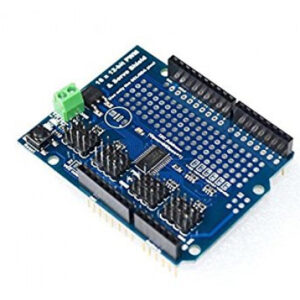
16 Channel PWM Servo Driver Module Shield
You want to make a cool robot, maybe a hexapod walker, or maybe just a piece of art with a lot of moving parts. Or maybe you want to drive a lot of LEDs with precise PWM output. Then you realize that your microcontroller has a limited number of PWM outputs! Here is the Servo Driver Module Shield 16 Channel to help you out!!!
What now? You could give up OR you could just get our handy PWM and Servo driver shield. Its now Arduino-ready and works with any Arduino that uses shields: Uno, Mega, ADK, its all good.
SKU: n/a -
Arduino, Arduino Development Board's
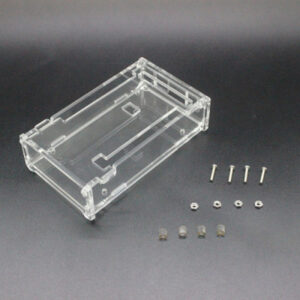
Transparent Acrylic Glossy Case Enclosure Box For Mega 2560 R3
Transparent Acrylic Case Enclosure Glossy Box For Mega 2560 R3 is made by high grade acrylic, which provides excellent protection. This is unique design provides easy connection to other components. The dimension of enclosure box is the same as original MEGA2560 R3.
Note : This product only includes the case, there is no Mega2560 R3 board inside of the package
SKU: n/a