Related products
-
Arduino, Arduino Development Board's
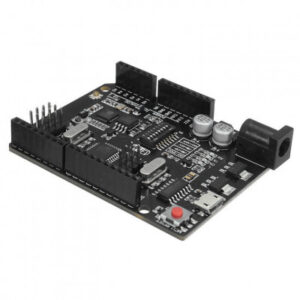
Uno WiFi R3 Atmega328p NodeMCU ESP8266 8mb Memory USB-TTL CH340G Compatible
 Arduino, Arduino Development Board's
Uno WiFi R3 Atmega328p NodeMCU ESP8266 8mb Memory USB-TTL CH340G Compatible
Uno WiFi R3 AtMega328p+NodeMCU ESP8266 8mb Memory USB-TTL CH340G Compatible for UNO is full integration on one board: Uno R3 ATmega 328 and WiFi ESP8266 with memory 8Mb (MegaByte). All of the modules can work together or separately. And everyone has their own pinout headers.
The convenient solution for the development of new projects requiring Uno and WiFi. Via USB you can update sketches and firmware for ATmega328 and for ESP8266. For this onboard have the USB-serial converter CH340G.
It is a modernized version of the classic UNO R3 board. Full integration of a microcontroller ATmega328 and a Wi-Fi chip ESP8266 with 8 MB memory on one board. All modules can work together or individually. Each of the microcontrollers has led to connecting peripheral sensors and modules.
A convenient solution for developing new projects that require Wi-Fi. Through USB, you can update sketches and firmware for both ATmega328 and ESP8266. For this on board, there is a UART converter CH340G. The board has a DIP switch, which switches the modes of interaction of microcontrollers ATmegaa328 and esp8266.
Operations of this board are very simple. The board has DIP-switch, to connect the modules. For example, to USB and ATmega328, USB and ESP8266, ATmega328 and ESP8266.
SKU: n/a -
Arduino, Arduino Development Board's
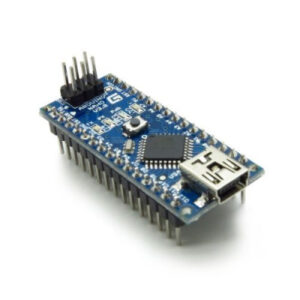
NANO V3.0 Development Board – Clone Compatible Model
NANO Version 3 is the open source smallest Embedded Development board based on Atmega328 SMD Package Microcontroller. It is a Surface mount Breadboard Friendly board integrated with Mini USB Port. DC Power Jack is not available on this Board, so power can be given through Mini USB Cable. It automatically sense and switch to the higher potential source of power, there is no need for the power select jumper.
SKU: n/a -
Arduino, Arduino Development Board's
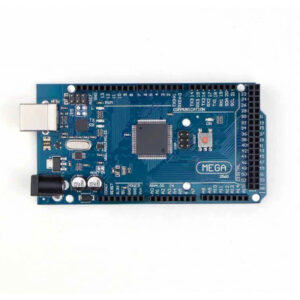
Mega 2560 R3 Board – Compatible Model High Quality
The Mega 2560 R3 is an open source precise microcontroller board Successor to the Mega based on the ATmega2560 SMD chip.The Mega 2560 R3 also adds SDA and SCL pins next to the AREF. In addition, there are two new pins placed near the RESET pin. One is the IOREF that allow the shields to adapt to the voltage provided from the board. The other is a not connected and is reserved for future purposes. The Mega 2560 R3 works with all existing shields but can adapt to new shields which use these additional pins.
This Board has 54 digital input/output pins (of which 15 can be used as PWM outputs), 16 analog inputs, 4 UARTs (hardware serial ports), a 16 MHz crystal oscillator, a USB connection, a power jack, an ICSP header, and a reset button. It contains everything needed to support the microcontroller. Using the board is also very easy, simply connect it to a computer with a USB cable or power it with DC adapter or battery to get started. The Mega 2560 R3 board is compatible with most shields designed for Genuino Uno and the former boards Duemilanove or Diecimila.
SKU: n/a -
Arduino, Arduino Development Board's
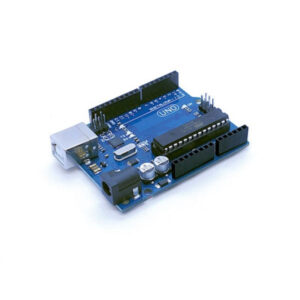
UNO R3 Development Board – Compatible Model High Quality
The Uno R3 is a open source microcontroller board based on the ATmega328 chip. This Board has 14 digital input/output pins, 6 analog input pins, Onboard 16 MHz ceramic resonator, Port for USB connection, Onboard DC power jack, An ICSP header and a microcontroller reset button. It contains everything needed to support the microcontroller. Using the board is also very easy, simply connect it to a computer with a USB cable or power it with DC adapter or battery to get started.
The Uno differs from all preceding boards in that it does not use the FTDI USB-to-serial driver chip. Instead, it features the Atmega16U2Atmega8U2 up to version R2) programmed as a USB-to-serial converter. While the UNO can be powered via the USB connection or with an external power supply, the power source is selected automatically.
External (non-USB) power can come either from an AC-to-DC adapter (wall-wart) or battery. The adapter can be connected by plugging a 2.1mm center-positive plug into the board’s power jack. Also leads from a battery can be inserted in the Gnd and Vin pin headers of the Power connector. The board can operate on an external supply of 6 to 20 volts. If supplied with less than 7V, however, the 5V pin may supply less than five volts and the board may be unstable. If using more than 12V, the voltage regulator may overheat and damage the board. The recommended range is 5v to 12v for Uno.
SKU: n/a